Wire & cable
Built for material-heavy operations
Wire, cable, and inventory management
SpoolRule helps warehouse and operations teams track wire, cable, and spool inventory—manually or with connected scales—so you always know what is available and where it lives.
Trust
SpoolRule is designed with operators, warehouse leads, and operations managers in mind.
Wire & cable
Built for material-heavy operations
Scale-ready
Manual entry or connected hardware
Audit-ready
Ownership and movement history
The problem
Operations managers and warehouse leads lose time when inventory lives in disconnected tools, outdated spreadsheets, and tribal knowledge.
Product
Track wire, cable, and spool inventory with the tools your floor team actually uses—scales, QR and barcode labels, and clear reporting.
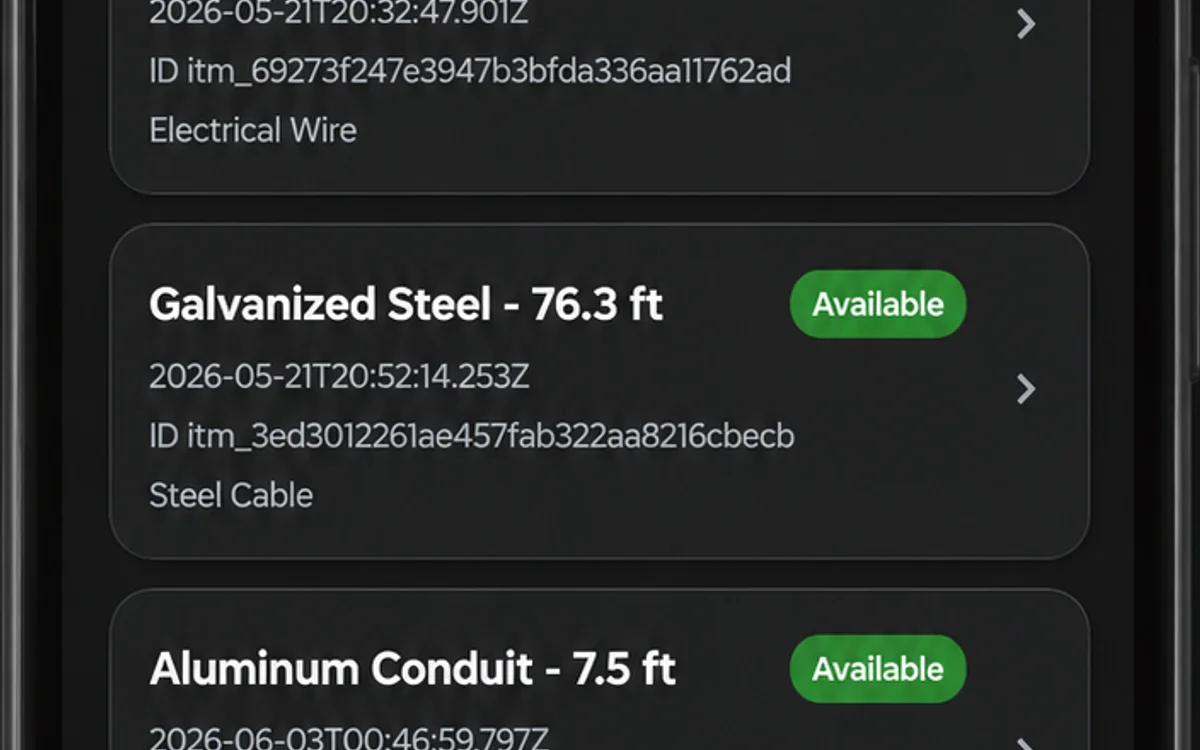
See on-hand inventory by location, type, and status without manual roll-ups.
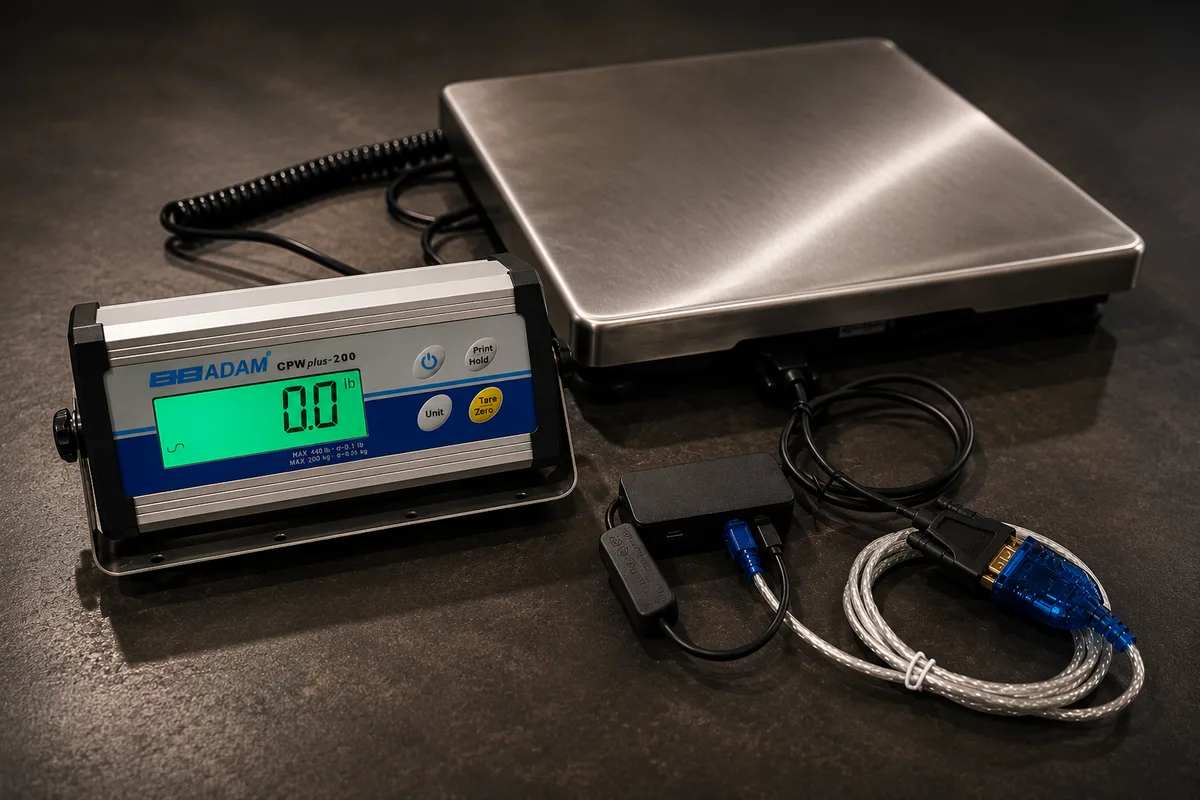
Use approved SpoolRule hardware for automatic weight capture—or bring your own scale and enter manually.
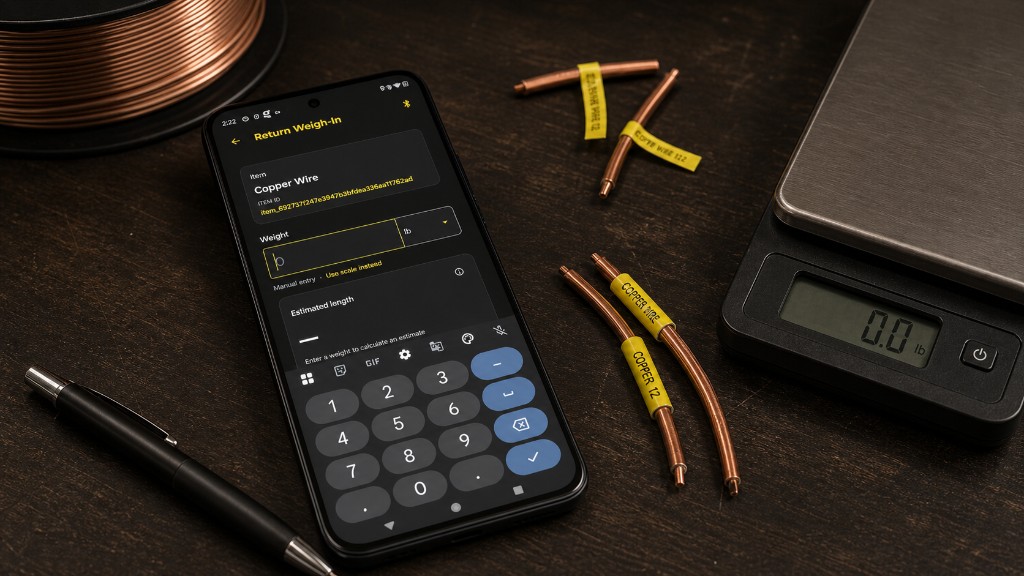
Record measurements anywhere when a connected device is not available.
Tag spools and locations with QR codes or barcodes for faster check-in, check-out, and audits.
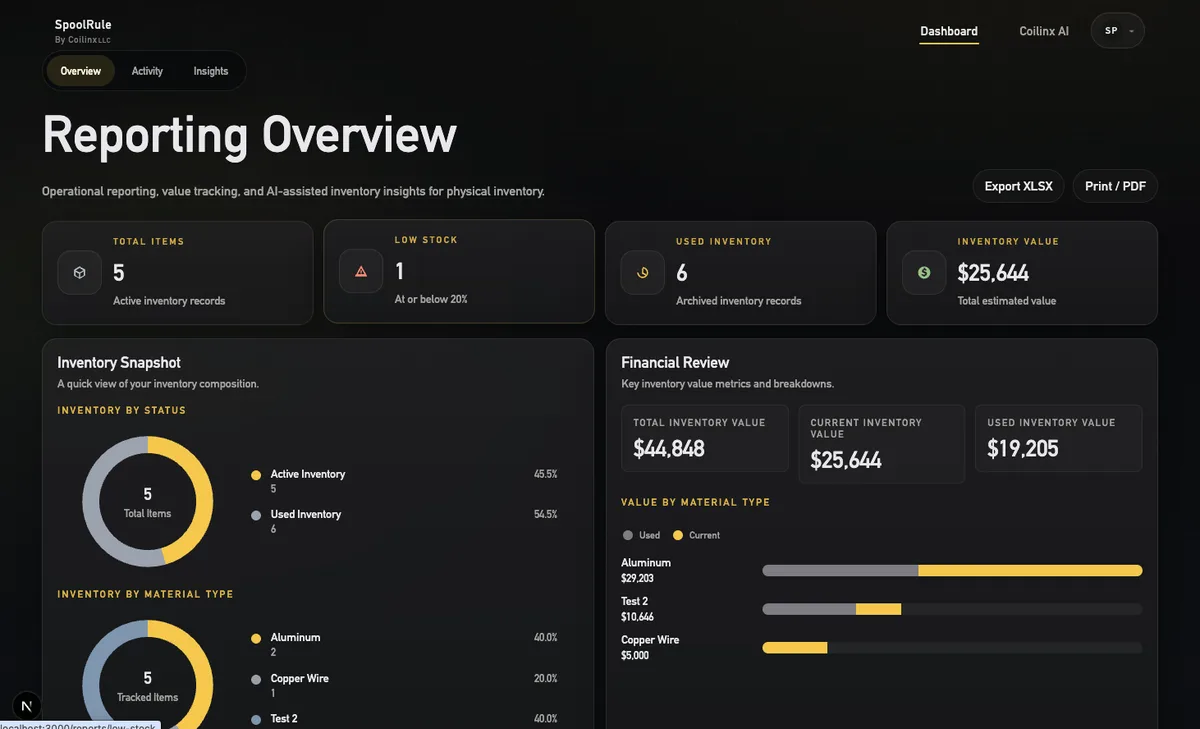
Basic reporting on Core. Advanced trends, financial reporting, and exports on Pro.
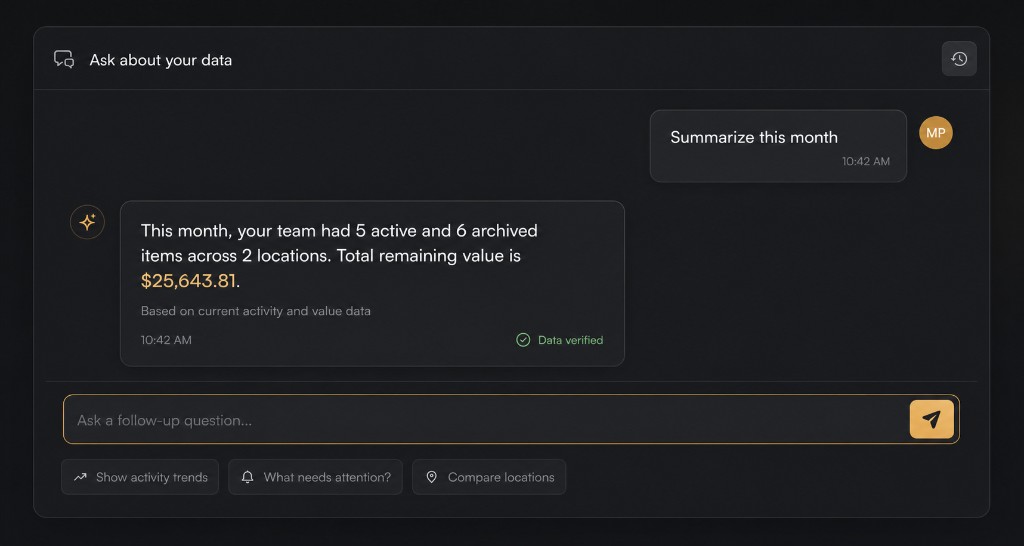
AI item creation, reporting assistant, summaries, and trend detection on Pro plans.
How it works
Weigh on a SpoolRule-enabled scale or enter weight and length manually.
Weight-to-length math converts remaining material automatically.
Locations, quantities, and ownership history stay current in real time.
Core gives you dashboard reporting. Pro adds trends, financial insights, and SpoolRule AI.
How you capture data
Start with manual entry on any plan. Add approved SpoolRule hardware when you are ready for automatic weight capture—contact us for availability and pricing.
Enter weight and length directly in the app. Ideal for smaller teams, remote sites, or operations getting started.
Approved SpoolRule hardware sends weight readings automatically for faster, more consistent inventory updates.
QR and barcode
Generate and scan QR codes or barcodes to identify spools, bins, and locations. Your team spends less time searching and more time moving material.
Reporting and AI
Core keeps your team informed with dashboards and basic reporting. Pro unlocks advanced analytics, financial insights, and SpoolRule AI.
Inventory trends, usage patterns, employee activity, and exportable reports in CSV, PDF, and XLSX.

Understand inventory value, usage costs, and trends that affect purchasing decisions.
AI item creation, reporting assistant, inventory summaries, trend detection, and financial insights.
Pricing
Core tracks inventory. Pro analyzes and optimizes it. Enterprise is custom for larger teams—see full details on our pricing page.
FAQ
Quick answers for teams evaluating wire and cable inventory software.
SpoolRule is inventory tracking software by Coilinx LLC for wire, cable, and spool operations. Teams capture weight and length, track locations, and report on stock in real time.
Weight-to-length tracking converts remaining material weight into usable length using material type data, so teams know how much wire or cable is left on each spool without manual calculations.
No. Core plans support manual weight entry. Connected scale kits are available through sales for teams that want automatic capture at the weigh station.
Core includes dashboard reporting and inventory visibility. Pro adds advanced reporting, exports, financial insights, and SpoolRule AI.
Visit our Contact Us page to request a demo, ask about hardware and enterprise rollout, or get IT and technical support. You can also email contact@coilinx.com.
Start with Core today, or talk with our team about Pro, Enterprise, and hardware options.